
There is a small computer in my house whose only job is listening. It is an Orange Pi Zero3, about the size of a matchbox, with a USB hub and a bunch of radio dongles hanging off it. One dongle hears ships, the AIS signals behind the live traffic map. One hears aircraft, ADS-B on 1090 MHz. The third did nothing.
That bothered me more than it should have. A radio receiver that receives nothing is just a USB stick with ambitions.
What to listen to
The third dongle is a Nooelec NESDR SMArt, the cheap kind of software-defined radio: a TV tuner chip that turned out to be able to hear almost anything between about 25 MHz and 1.7 GHz, as long as you tell it where to look.
My first idea was PMR446, the walkie-talkie band. Sixteen narrow channels around 446 MHz, all on one stretch of spectrum that a single dongle can watch at once. Then I found a list of local frequencies, and one line on it stuck:
NS, 429.8875 MHz, FM, conductor and driver.
The radio a conductor uses to talk to the driver of the same train. Not the big signalling system, which is digital and not something you casually listen to, but a plain FM channel. Listening to radio is allowed here; what you hear is not meant for you, so you treat it that way.
Hello, is this thing on
The quick way to have a look is rtl_tcp: the Pi streams raw radio samples over the network and any SDR program can tune around in them. Fine for poking about, but I did not want raw samples, I wanted a voice. Trains come and go in Eindhoven all day, but the conductor's radio is a weak little transmitter, so you only hear the ones close by, and only now and then.
So: demodulate on the Pi itself with rtl_fm and send just the audio. The plan was to pipe it into netcat.
The Pi did not have netcat.
I could have installed it. I did not want to start adding packages to a box that is quietly feeding the traffic map. Bash has a trick for this: you can write to /dev/tcp/host/port as if it were a file, and bash opens the connection for you. So the Pi does not wait for anyone to connect; it phones the web server itself, and pours the audio down that connection.
Squelch
The first recording was thirty seconds long and contained thirty seconds of sound. That is suspicious for a channel where people talk now and then.
Squelch is the threshold below which a radio keeps quiet, so you hear voices instead of hiss. My first guess for it was far too low: the squelch stood open 100% of the time, all of it noise at a constant level. So I tested properly, ten seconds per setting:
- 100: open all the time
- 200: the odd burst of noise
- 250: silence
It runs at 250 now. Quiet until someone actually keys a radio.
From the Pi to your browser
On the server side the audio lands in the same Rust program that runs this whole site. It accepts that connection from exactly one address, the Pi, and refuses everything else.
What comes in is 16-bit audio at 12,500 samples a second, which is plenty for a voice on a radio. The server squeezes it into 8-bit μ-law, the old telephone trick, which halves it to 12.5 kB a second. And it only passes audio on while someone is talking, so a listener on a quiet evening costs almost nothing.
There was one more catch. With the squelch shut, rtl_fm sends nothing at all, so when I restarted the web server, the Pi had no idea its connection had gone. It would only find out the next time a conductor spoke. Now the Pi sends two zero bytes every five seconds as a heartbeat. The server throws them away, but if the connection is gone, the Pi notices, and systemd restarts it within ten seconds.
Hanging over Eindhoven Centraal
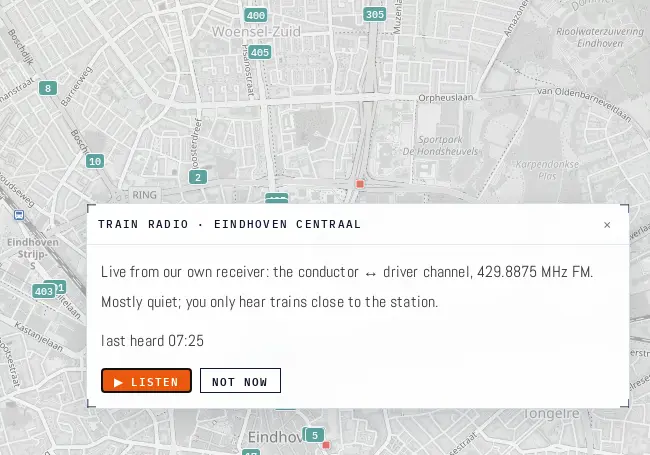
On the traffic map, zoom in on Eindhoven Centraal, or take the shortcut: open the map right above the station. At zoom 14, when the station is in view, a small window opens: Train radio, Eindhoven Centraal, with a status line and a Listen button.
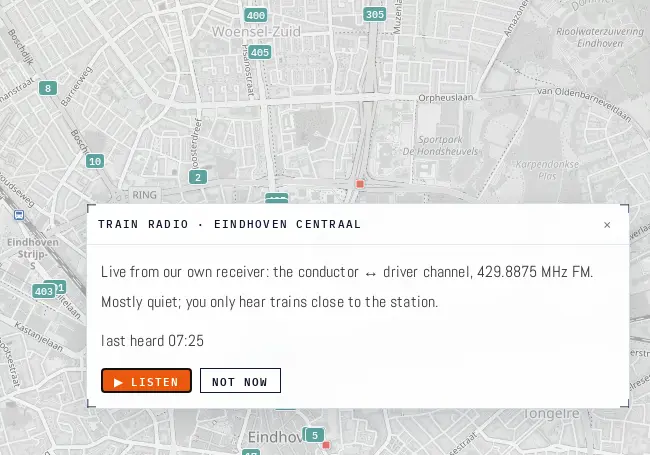
The button matters more than it looks. Browsers do not let a page start making noise by itself; it needs a click first. My first version tried to start the radio automatically as you scrolled over the station, and then had to apologise with a click to hear label. The window turns that into a real choice, and the click is what lets the sound through.
Press Listen and the station's card opens next to the map: departures, arrivals, and the radio, with a green on air when someone is talking.
Twenty-four hours back
Live radio has one problem: you are never there when it happens. So the server also keeps every conversation for 24 hours.
A conversation, not a recording of the channel. Transmissions less than five seconds apart belong together, and the pauses between them are kept as real silence, so you hear the back and forth as it went. After the last word, one second of tail. Anything under half a second of actual sound is a squelch hiccup and is thrown away. A minute of talk takes about 750 kB, so even a very chatty day fits easily.
In the card it is a list: the time, the length, a play button. Press one and it plays that conversation and then the ones after it, up to now.
What stays off
The same dongle could hear P2000, the Dutch emergency paging network, and I briefly considered it, if only to check the antenna. It stays off the map. Even with only the town and the type of call, every message points at someone's worst day, and the Lifeliner helicopters already show up through ADS-B anyway.
A conductor telling a driver the doors are closed is a different kind of message. That one you can hear on the traffic map, at Eindhoven Centraal, if you are patient.
Listen at Eindhoven Centraal →
— TimoNov 23, 2026